
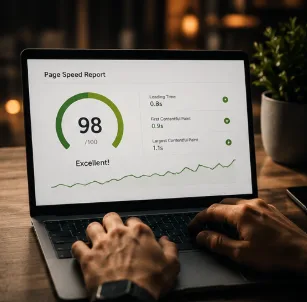
You have probably done this yourself: tapped a link, watched a blank white screen for a few seconds, and left before it even finished loading. Multiply that moment by every visitor who ever reaches your site, and you start to see why speed is not a technical nicety — it is one of the biggest, quietest reasons SME websites underperform.
The good news is that most speed problems have simple, well-understood causes, and fixing them rarely requires a full rebuild. This guide explains what actually slows a website down, what Google's Core Web Vitals mean in plain terms, and gives you a checklist to work through — whether you fix it yourself or hand it to someone who can.
Why speed matters more than most owners realise
Speed affects two things directly: whether people stay on your site, and whether Google shows it to them in the first place. Studies consistently show that as load time increases past two or three seconds, the chance of someone leaving before the page finishes rises sharply — and mobile users, who make up the majority of local traffic in Singapore, are the least patient of all.
Google has also confirmed that page speed is a ranking factor, especially on mobile. Two businesses with equally good content can rank very differently simply because one loads in 1.5 seconds and the other in 6.
A slow website does not just lose the sale in front of you. It quietly suppresses every future visitor Google would otherwise have sent your way.
What actually slows a website down
Speed problems are rarely one dramatic issue — usually it is several small inefficiencies stacking up. The most common culprits, in order of how often we see them:
| Cause | Why it slows things down |
|---|---|
| Oversized images | A 5MB photo straight from a phone camera takes far longer to download than a compressed 200KB version |
| Cheap or shared hosting | Slow servers take longer to respond to every single request, before the page even starts rendering |
| Too many scripts and plugins | Every extra tracking pixel, chat widget or plugin adds its own loading delay |
| Unoptimised fonts | Loading several custom font weights that were never actually used on the page |
| No caching | The server rebuilds the page from scratch for every visitor instead of serving a saved, ready version |
| Render-blocking code | Scripts and styles that must fully load before anything on the page can appear |
Practical example: a boutique clothing store's homepage was taking nine seconds to load on mobile. The cause was three unoptimised product photos, each over 4MB, sitting in the hero carousel. Compressing them to under 200KB each brought load time down to under two seconds — with no visible difference in quality.
Images: the single biggest lever
For most SME websites, images account for the majority of a page's total size. This is also the easiest problem to fix, because it rarely requires touching any code.
Getting images right
- Compress every image before upload — tools like TinyPNG or Squoosh can cut file size by 60–80% with no visible quality loss.
- Use modern formats like WebP or AVIF instead of large PNG or JPEG files where your platform supports it.
- Resize images to the dimensions they will actually display at — do not upload a 4000px photo into a 600px box.
- Use "lazy loading" so images further down the page only load once a visitor scrolls near them.
- Avoid auto-playing video backgrounds on mobile; they are one of the heaviest elements a page can carry.
As a rule of thumb, no single image on your website should exceed 300KB, and most can comfortably sit well under that with modern compression.
Hosting: the foundation nobody thinks about
Hosting is invisible until it is the problem. A S$3-a-month shared hosting plan might be sharing server resources with hundreds of other websites, some of them far busier than yours. When their traffic spikes, your site can slow down too — even though you did nothing wrong.
- Choose hosting with servers physically closer to your main audience — Singapore or regional Asia-Pacific data centres for a Singapore-based business.
- Consider a content delivery network (CDN), which stores copies of your site in multiple locations so visitors load from the nearest one.
- Modern platforms with built-in hosting (many website builders and headless CMS setups) often outperform basic shared hosting without any extra configuration.
- If your site handles bookings, payments or a growing catalogue, budget hosting is usually the first thing to outgrow.
Upgrading hosting is often the single highest-impact, lowest-effort fix available, particularly for sites still on entry-level shared plans from years ago.
Scripts, plugins and third-party widgets
Every chat widget, tracking pixel, review plugin and pop-up builder adds its own bit of code that has to load before or alongside your page. Individually small, collectively they can double or triple load time.
A useful audit
- List every plugin, script and embedded widget currently on the site.
- For each one, ask whether it is actually used and delivering value.
- Remove anything installed "just in case" or left over from a past campaign.
- Where a tool is necessary, check if it offers a lightweight or "lazy load" version.
- Limit yourself to one chat or pop-up tool, not three stacked on top of each other.
Practical example: a clinic's website had a booking widget, a chat plugin, a review pop-up and two analytics scripts running simultaneously. Removing one redundant analytics script and switching the chat widget to load only after five seconds cut load time by nearly 40%.
Core Web Vitals, explained without the jargon
Google measures speed and user experience using three specific metrics, collectively called Core Web Vitals. They sound technical, but each one maps to something you have personally felt as a frustrated website visitor.
| Metric | In plain English | What good looks like |
|---|---|---|
| LCP (Largest Contentful Paint) | How long until the main content — usually a hero image or headline — actually appears | Under 2.5 seconds |
| INP (Interaction to Next Paint) | How quickly the page responds after you tap or click something | Under 200 milliseconds |
| CLS (Cumulative Layout Shift) | How much things jump around while loading — text moving as images pop in | A low, stable score, under 0.1 |
You can check your own site's scores for free using Google PageSpeed Insights or the Core Web Vitals report in Google Search Console. Both give a plain pass or fail rating alongside specific suggestions.
Why this affects rankings
Google has confirmed Core Web Vitals as part of its ranking signals, particularly on mobile. Two similar pages can rank differently purely because one offers a smoother, faster experience.
How modern AI-built websites tend to start faster
Older website platforms, especially those built up over years with layers of plugins and legacy code, tend to accumulate speed problems the way a cluttered garage accumulates junk. Newer, AI-assisted website builds generally start from a cleaner position because the tooling encourages compressed images, minimal unnecessary scripts and modern hosting by default.
That said, a fast starting point can still be undone over time — every new plugin, every uncompressed photo added by a well-meaning staff member, chips away at it. Speed is not a one-time achievement; it needs the occasional check-up, the same way you would service equipment that runs every day.
The website speed checklist
Work through this list
- Test your site on Google PageSpeed Insights and note the current score.
- Compress every image on the site; none should exceed 300KB.
- Check hosting — confirm it is not an outdated shared plan struggling under real traffic.
- Remove unused plugins, scripts and tracking pixels.
- Enable lazy loading for images below the fold.
- Confirm the site works and loads quickly on a real phone using mobile data, not office WiFi.
- Check Core Web Vitals in Google Search Console and address any "poor" ratings first.
- Re-test after each change so you know what actually made a difference.
Most SME sites can go from a sluggish 6–8 second load time to under 3 seconds by working through image compression and hosting alone, before touching any code.
Frequently asked questions
How fast should my website load?
What is the fastest way to improve my website's speed?
Do Core Web Vitals really affect my Google ranking?
Is cheap hosting always the problem?
How do I check my current website speed?
Want a website that is genuinely fast, not just fast on paper?
We build SME websites with compressed images, clean code and solid hosting from day one — no bloated plugins, no six-second load times. Tell us about your current site and we will tell you honestly what's slowing it down.
Get a Free Speed Check