
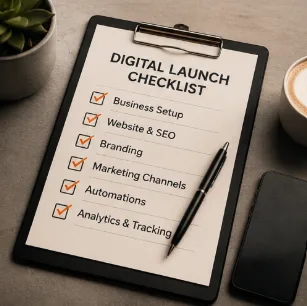
Registering a company with ACRA takes about fifteen minutes online these days. Setting up everything else a new business needs to actually be found, contacted and paid usually takes far longer — mostly because nobody hands new business owners a single list of what needs doing, in what order.
This checklist covers the digital setup every new Singapore business should complete before or shortly after opening — not marketing strategy, just the foundations. Work through it in order and you will avoid the two most common launch mistakes: looking unfinished online, and losing enquiries because nobody could actually reach you.
1. ACRA registration and the paperwork that unlocks everything else
Everything digital downstream — your business bank account, payment gateway, domain purchase in some cases, and Google Business Profile verification — depends on having your ACRA registration sorted first. Do this before anything else on this list.
Before you move on
- Company or business name registered via ACRA BizFile.
- UEN (Unique Entity Number) received — you will need this constantly.
- Business bank account opened in the registered entity's name.
- GST registration considered, if turnover is likely to exceed the threshold.
- Any required licences for your industry checked (food, health, financial services, etc).
Keep your UEN, registered address and business name identical everywhere you use them online. Small inconsistencies here quietly damage trust with banks, payment providers and Google alike.
2. Domain name and a proper business email
Buy your domain the same week you register the business — good names get taken quickly, and squatters do occasionally register close variants of new Singapore business names.
Choosing a domain
- Match it to your business name as closely as possible.
- Prefer .com or .com.sg over unusual extensions for a local audience.
- Keep it short, easy to say over the phone, and easy to spell.
- Avoid hyphens and numbers where you can — they cause mistyped enquiries.
Setting up business email
A @gmail.com address on a shopfront or invoice looks unfinished to customers and suppliers alike. Set up email on your own domain (name@yourbusiness.com) through Google Workspace or Microsoft 365 — both cost roughly S$8–15 per user per month and take under an hour to configure.
3. A website, even a simple one
You do not need a large website to launch. You need one that answers the questions a new customer has: what you do, who it is for, how much it costs (or roughly), and how to reach you.
Minimum viable launch website
- A homepage stating clearly what you do and for whom.
- A services or products page with prices or a price range.
- A contact page with phone, WhatsApp and a simple form.
- An about section — even a few lines build trust for a brand-new business.
- Mobile-friendly design, since most new customers will find you on a phone.
It is entirely possible to have a proper website live within a week using AI-assisted drafting for structure and copy — the key is starting with messaging, not design, so read our guide on launching a website in 7 days for the full process.
4. Google Business Profile
This is the single most overlooked step for new Singapore businesses, and arguably the most valuable. It is free, and it is how you appear on Google Maps and in local search results — often before your website even ranks.
- 1Create your profile at google.com/business using the exact registered business name.
- 2Choose the correct category — this affects who finds you and for what searches.
- 3Add your address (or service area, if you do not have a shopfront) and opening hours.
- 4Add photos of your premises, products or team — profiles with photos get more clicks.
- 5Verify the listing, usually by postcard, phone or video, depending on your business type.
- 6Ask your first few customers for reviews as soon as you have them.
Do not skip verification
An unverified profile can be edited by anyone, including competitors. Complete verification as soon as Google allows it after setup.
5. WhatsApp Business
In Singapore, WhatsApp is often the first place a customer tries to contact a new business — faster than email, less formal than a phone call. Set it up properly rather than using your personal number as-is.
WhatsApp Business setup
- Download WhatsApp Business (free) and use a dedicated business number if possible.
- Complete the business profile: description, category, address, hours.
- Set up a greeting message for new chats and an away message for after hours.
- Create quick replies for your most common questions.
- Add your WhatsApp link (wa.me/yournumber) to your website, Google Business Profile and social bios.
7. Payment methods
Nothing loses a sale faster than a customer ready to pay and no easy way to do it. Set up more than one payment method before launch, since preferences vary widely across customer types in Singapore.
| Method | Good for |
|---|---|
| PayNow (via business bank account) | Fast, no fees, widely trusted locally |
| Card payment gateway (Stripe, HitPay, etc) | Online sales, invoicing, recurring billing |
| Cash | Walk-in retail and F&B, still expected by some customers |
| Buy-now-pay-later (Atome, etc) | Higher-ticket retail items, optional |
Display your accepted payment methods clearly on your website and at your premises — ambiguity here causes hesitation at the exact moment a customer is ready to buy.
8. Analytics and basic tracking
Set this up before launch, not after, because you cannot go back and measure traffic you never captured. It also does not need to be complicated for a new business.
- 1Install Google Analytics (or a simple, privacy-friendly alternative) on your website.
- 2Set up Google Search Console to see what people search to find you.
- 3Connect Meta Pixel if you plan to run Facebook or Instagram ads later.
- 4Track WhatsApp and phone enquiries manually in a simple spreadsheet for the first few months — this matters more than most website metrics at the start.
The full checklist in one place
Before opening day
- ACRA registration complete, UEN in hand.
- Business bank account open.
- Domain name purchased and matched to business name.
- Business email set up on your own domain.
- Website live with pricing, contact details and mobile-friendly design.
- Google Business Profile created, verified and populated with photos.
- WhatsApp Business set up with greeting and quick replies.
- Instagram, Facebook and any relevant social handles secured.
- At least two payment methods ready to accept money.
- Analytics and Search Console installed and tracking.
None of this needs to happen in a single day, but all of it should be in place before you start actively marketing — otherwise you are spending money and effort sending customers to gaps rather than to a working business.
Frequently asked questions
In what order should I set these up?
Do I need a website before setting up Google Business Profile?
How much does this whole setup typically cost for a new Singapore SME?
Can I launch without a website and just use social media and Google Business Profile?
What is the most commonly skipped step on this list?
Launching a new business and need this all done properly?
Ginger Fox Studio helps new Singapore SMEs set up their full digital foundation — website, Google Business Profile and everything in between — so opening day is genuinely ready.
Get Launch-Ready
6. Social media handles
You do not need to be active on every platform from day one, but you should secure your business name across the major ones immediately, even if you only plan to use one or two actively at launch.
Keep your handle identical to your business name across platforms wherever possible, and use the same profile photo and bio wording so customers recognise you instantly across channels.