Two years ago, a decent product video meant hiring a videographer, booking a studio, and waiting a week for edits. Today, an SME can generate a script, an AI voiceover, and even an AI avatar presenting the product, all before lunch. The tools have got extraordinarily good, extraordinarily fast.
The problem is not access to the tools anymore — it is that most businesses use them to produce videos that look like everyone else's: the same stock avatar, the same robotic voice, the same generic stock footage. A video that looks AI-made in the wrong way loses trust instead of building it. This guide covers how to use AI to make videos that still feel like your business, and that actually move people to buy.
Why AI product videos are exploding right now
Three things changed at once. AI video and voice tools got dramatically cheaper and better. Short-form platforms — TikTok, Instagram Reels, YouTube Shorts — now reward video over static images in their feeds. And customers increasingly research products by watching them in use before they buy, rather than reading a description.
For an SME, this is genuinely good news. You no longer need a production budget to compete with bigger brands on video. A well-scripted 20-second product demo made with a phone and an AI voiceover can outperform a slick but soulless agency ad, because it feels more real.
The trap to avoid
AI removes the cost barrier, not the thinking. A bad script produced with expensive tools is still a bad script — just a faster one.
The mistakes that make AI videos feel cheap
- Using the default AI avatar voice and face with no customisation — customers recognise it instantly.
- Starting with a company introduction instead of the problem the product solves.
- Cramming every feature in instead of picking the one that matters most.
- No captions, even though most viewers watch with sound off.
- Inconsistent branding — different fonts, colours or tone across each video.
- Videos that are technically well made but say nothing memorable.
Practical example: a skincare brand generated a product video using a stock AI avatar reading a generic script — "Introducing our revolutionary new serum." Watch time was under two seconds. They rewrote it around a single before-and-after result, filmed the actual founder holding the product, and used AI only for subtitles and background music. Watch time nearly tripled, and it drove real sales through the link in bio.
Storytelling: the part AI cannot do for you
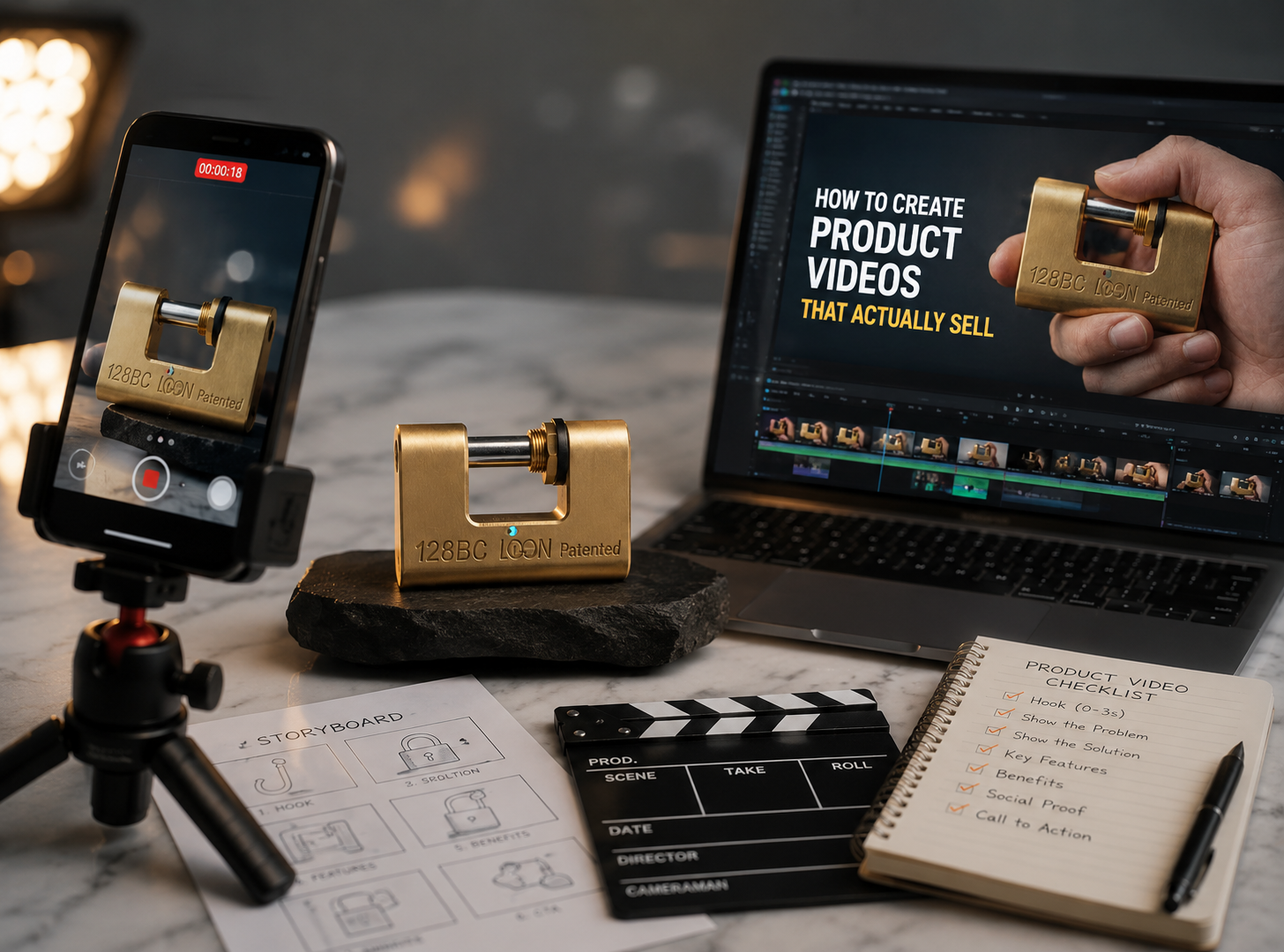
A product video is not a features list with pictures. It needs a shape: a problem, a moment of change, and a result. This structure works whether the video is 15 seconds or 3 minutes.
A simple structure that works
- 1Hook (0–3 seconds): state the problem or show the result upfront.
- 2Context: who this is for and why it matters to them.
- 3Demonstration: show the product actually being used.
- 4Proof: a result, a number, a reaction, a review.
- 5Call to action: what to do next, stated plainly.
AI is genuinely useful for drafting this structure quickly, generating hook variations, and tightening a script down to the right length. It is much less useful at deciding what your customers actually care about — that still needs a human who talks to them.
Making product demonstrations actually convincing
Demonstration is where trust is won or lost. A demo that looks staged, or that shows a product working suspiciously perfectly, raises scepticism rather than lowering it.
What makes a demo believable
- Real hands, real environment — a kitchen counter beats a white studio backdrop for a food product.
- Show the unglamorous bit too — the effort or mess involved, not just the polished result.
- Real timing, even if sped up honestly with an on-screen note.
- A reaction, even a small one — a customer's face or voice reacting to the result.
- One clear before-and-after, rather than five vague claims.
AI can enhance this footage — cleaning up audio, adding captions, colour-correcting lighting — without replacing the authenticity of a real demonstration. Use AI to polish, not to fabricate.
Scripts and voiceovers that do not sound robotic
AI voiceover tools have improved hugely, but the flat, default voice is still instantly recognisable. A few adjustments make a big difference.
Getting a script AI can read naturally
- Write short sentences — long, clause-heavy sentences sound stilted even from a good voice model.
- Read the script aloud yourself first; if you stumble, the AI voice will too.
- Choose a voice that matches your brand's actual personality, not the default option.
- Add pauses and emphasis manually where most tools allow it.
- Mix AI voiceover with a short clip of a real human voice — even one line — to add warmth.
If budget allows, recording your own voice and using AI only to clean up audio or add subtitles often beats a fully synthetic voiceover for trust — customers respond to a real person, even a slightly imperfect one.
AI avatars and keeping your brand consistent
AI avatars — digital presenters that can read any script in any language — are useful for SMEs who need a consistent, camera-shy "face" for regular content, or who need videos in multiple languages for Singapore's diverse customer base.
The risk is sameness. Thousands of businesses now use the same handful of stock avatars, and audiences are starting to notice and scroll past them. If you use an avatar, customise the appearance, clothing and voice as much as the tool allows, and keep your actual brand colours, logo and fonts consistent across every video so it still feels distinctly yours.
| Element | Keep consistent across every video |
|---|---|
| Colours | Match your brand palette in graphics and captions |
| Fonts | Same caption font and size every time |
| Intro/outro | A short, recognisable opening and closing |
| Tone of voice | Same personality whether AI or human voice |
| Logo placement | Same position, same duration on screen |
Short-form vs long-form: what to make and when
Not every product needs the same video length. Matching format to platform and buying stage matters more than production quality.
| Format | Best for | Typical length |
|---|---|---|
| Short-form (Reels/TikTok/Shorts) | Discovery, first impressions, driving traffic | 15–45 seconds |
| Product page video | Convincing someone already considering buying | 30–90 seconds |
| Long-form (YouTube) | Detailed demos, tutorials, building deep trust | 3–10 minutes |
| Live/unboxing style | Authenticity, real-time reactions | Varies |
A good rule for a small team: produce one solid long-form or product-page video per product line, then cut it into several short-form clips for social. AI editing tools are genuinely useful here, automatically finding the punchiest moments to reuse.
Distribution: where to post and how to adapt
The best video in the world does nothing sitting unposted on a phone. Each platform rewards a slightly different style, so avoid posting the exact same file everywhere.
Platform notes
- TikTok: fast hook, native captions, less polished feels more authentic and gets more reach.
- Instagram Reels: similar to TikTok, but can support slightly more polished branding.
- LinkedIn: works better with a business angle — the story behind the product, not just the sell.
- WhatsApp Status/Broadcast: short, direct, works well for existing customers and repeat buyers.
- Product pages and Google Business Profile: a 20–30 second demo video here can noticeably lift conversion.
Post consistently rather than perfectly. A simple weekly video, distributed to two or three platforms with small tweaks, beats one beautifully produced video that goes up once a quarter.
Frequently asked questions
Do AI product videos look fake to customers?
What is the minimum equipment I need?
How long should a product video be?
Can I use AI avatars for a Singapore business and still sound local?
How often should I be posting product videos?
Need AI videos that look professional instead of generic?
Talk to Ginger Fox about producing product videos that use AI to move fast without losing the personality that makes your brand yours.
Talk to Ginger Fox